
Server Security Recommendations Following the Moscow Data Center Incident
- Published in Новости
- Be the first to comment!
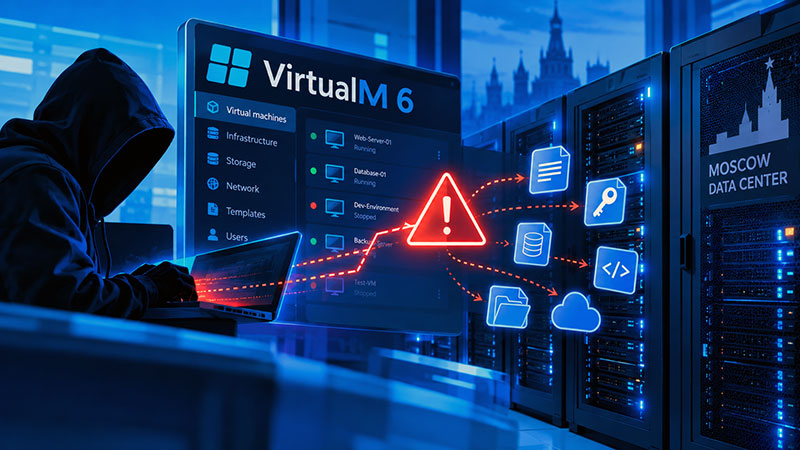
A practical guide for VDS/VPS owners, system administrators, and developers on assessing risks, protecting credentials, and safely restoring infrastructure.
Why You Should Review Your Server Security
Security incidents can affect more than an individual server. They may also create risks for connected applications, databases, cloud services, and other parts of an IT infrastructure.
On October 17, an incident involving a vulnerability in the virtualization management software at the Moscow data center was identified. Based on the information currently available, unauthorized parties may have been able to read files on an affected server between 12:27 and 22:34 Moscow time (MSK).
The complete list of potentially accessible files and any subsequent use of the information has not yet been established.
Server owners should go beyond checking whether their websites and applications are working and conduct a broader security assessment.
1. What Information May Be at Risk?
Servers frequently store credentials and configuration data needed for administration, automation, and integration with external services.
- SSH keys and passwords: administrator credentials, private keys,
authorized_keysfiles, and service account passwords. - Application configuration:
.env,docker-compose.yml, CMS configuration files, and database connection strings. - Databases: credentials for PostgreSQL, MySQL, MongoDB, and Redis, as well as customer and user data.
- Cloud services: keys for AWS, Google Cloud, Azure, OpenStack, and other platforms.
- DevOps tools: GitHub, GitLab, Docker, Kubernetes, Terraform, and CI/CD access tokens.
- External APIs: OpenAI, Anthropic, payment processors, email services, and other third-party providers.
- Backup systems: credentials for Restic, Borg, and other backup solutions.
- Cryptocurrency assets: wallet seed phrases, private keys, and exchange API keys.
2. First Steps: Secure Your Most Important Credentials
Start with the accounts and assets whose compromise could have the most serious consequences.
Cryptocurrency Wallets
If seed phrases or private keys were stored on the server, create a new wallet on a trusted device using entirely new secrets. If compromise is possible, transfer the assets to the new wallet.
Do not restore the new wallet using the old seed phrase. Review cryptocurrency exchange API keys and revoke potentially compromised credentials. Keys that permit withdrawals require particular attention.
Administrative Accounts
Change potentially affected passwords, replace SSH keys, and inspect authorized_keys files for unknown or unauthorized entries. Do not focus exclusively on the root account; review other privileged users, service accounts, and alternative remote access methods.
Cloud Platforms and External Services
Revoke and replace tokens that may have been stored on the server, including credentials for cloud platforms, code repositories, and third-party APIs. Review their permissions and reduce excessive access wherever possible.
3. Review Application Configurations and Databases
Secrets are often stored in configuration files used to connect applications to databases, email servers, and external APIs. Review the following in particular:
.envand other environment configuration files;- Docker and Docker Compose configurations;
- CMS and web application settings;
- database connection strings;
- SMTP, FTP/SFTP, and external service credentials;
- command histories that may contain passwords or tokens.
After rotating credentials, update the relevant configurations and verify that applications continue to operate correctly. If the same password or key was used on multiple servers, assess every system that relies on it. Reusing credentials can turn a local security issue into an incident affecting the wider infrastructure.
4. Check for Signs of Unauthorized Access
Changing passwords alone does not guarantee that a server is secure. If an attacker was able to execute commands or modify system settings, additional access mechanisms may have been introduced.
Review the system for:
- unknown accounts and SSH keys;
- unexpected changes to system files and configurations;
- suspicious processes and services;
- cron jobs and other persistence mechanisms;
- unusual network connections;
- unfamiliar logins and administrative operations;
- unexpected changes to security settings and access permissions.
Examine operating system, application, database, and external service logs. The absence of obvious indicators does not prove that a server was unaffected. If there are credible signs of intrusion, a professional incident investigation may be necessary.
5. Verify Your Backups
Backups are essential for recovery, but they may also be at risk if access to them depends on compromised credentials.
- Verify backup availability and integrity.
- Rotate potentially compromised backup passwords and access keys.
- Review backup operation logs for suspicious activity.
- Confirm that unauthorized parties could not modify or delete backup data.
- If necessary, restore the system from a verified backup into a clean environment.
Do not carry potentially compromised keys, passwords, or configuration files into a restored system. Use separate backup accounts, restrict access permissions, and implement immutable or isolated backup storage where possible.
6. Secure Connected Servers and Services
If the affected server was used to administer other systems, review the entire connected infrastructure. This may include:
- other VDS/VPS instances and physical servers;
- cloud accounts and virtual networks;
- websites, CMS platforms, and databases;
- DNS services and domain registrars;
- email infrastructure;
- application deployment systems;
- code repositories and CI/CD pipelines;
- hosting control panels.
Pay particular attention to systems for which the affected server had administrative access. If the same secret was used in multiple locations, replace it everywhere it was used.
7. Strengthen Security After Recovery
Multi-Factor Authentication (MFA)
Enable MFA for administrative accounts, cloud platforms, code repositories, and other critical services.
Restricted Remote Access
Where possible, allow SSH and administrative connections only from trusted IP addresses or through a secure VPN.
Least Privilege
Give each user, service, and token only the permissions required for its intended purpose.
Secure Secret Management
Avoid storing passwords and private keys in plaintext unnecessarily. Use appropriate dedicated secret-management solutions.
Monitoring and Updates
Configure alerts for unusual logins, privilege changes, new access keys, and suspicious operations. Install security patches for operating systems, applications, and virtualization software promptly.
Protected Backups
Maintain multiple verified copies of important data, including copies isolated from the primary infrastructure or protected against unauthorized modification.
8. What to Do If You Suspect a Compromise
If you discover unknown accounts, suspicious processes, unauthorized modifications, or other signs of intrusion, do not simply delete suspicious files and continue operating the server.
- Restrict access to the affected system where feasible and safe.
- Preserve relevant logs and investigation materials.
- Revoke potentially compromised credentials through a trusted system.
- Assess the scope of the incident and identify connected systems.
- Where necessary, rebuild the infrastructure in a clean environment using verified sources.
- Verify the security of the restored system before returning it to production.
If personal data is involved, assess the applicable legal requirements for notifying regulators and affected individuals. Obligations and deadlines depend on the relevant jurisdiction and the circumstances of the incident.
Conclusion
Server security depends not only on avoiding software vulnerabilities but also on protecting credentials, backups, external services, and connected systems.
The incident at the Moscow data center highlights the importance of regular security reviews and responsible secret management. Even when there is no confirmed evidence of misuse, promptly replacing potentially compromised credentials and reviewing your infrastructure can significantly reduce further risks.
For questions concerning Host-for.NET infrastructure, please contact us through the ticketing system in your customer account. Response times may be longer than usual while the investigation is ongoing.
Host-for.NET — security, transparency, and a responsible approach to our customers' infrastructure.